 CaixaUnica
AI Analyses: automatic reports on your money, in plain language
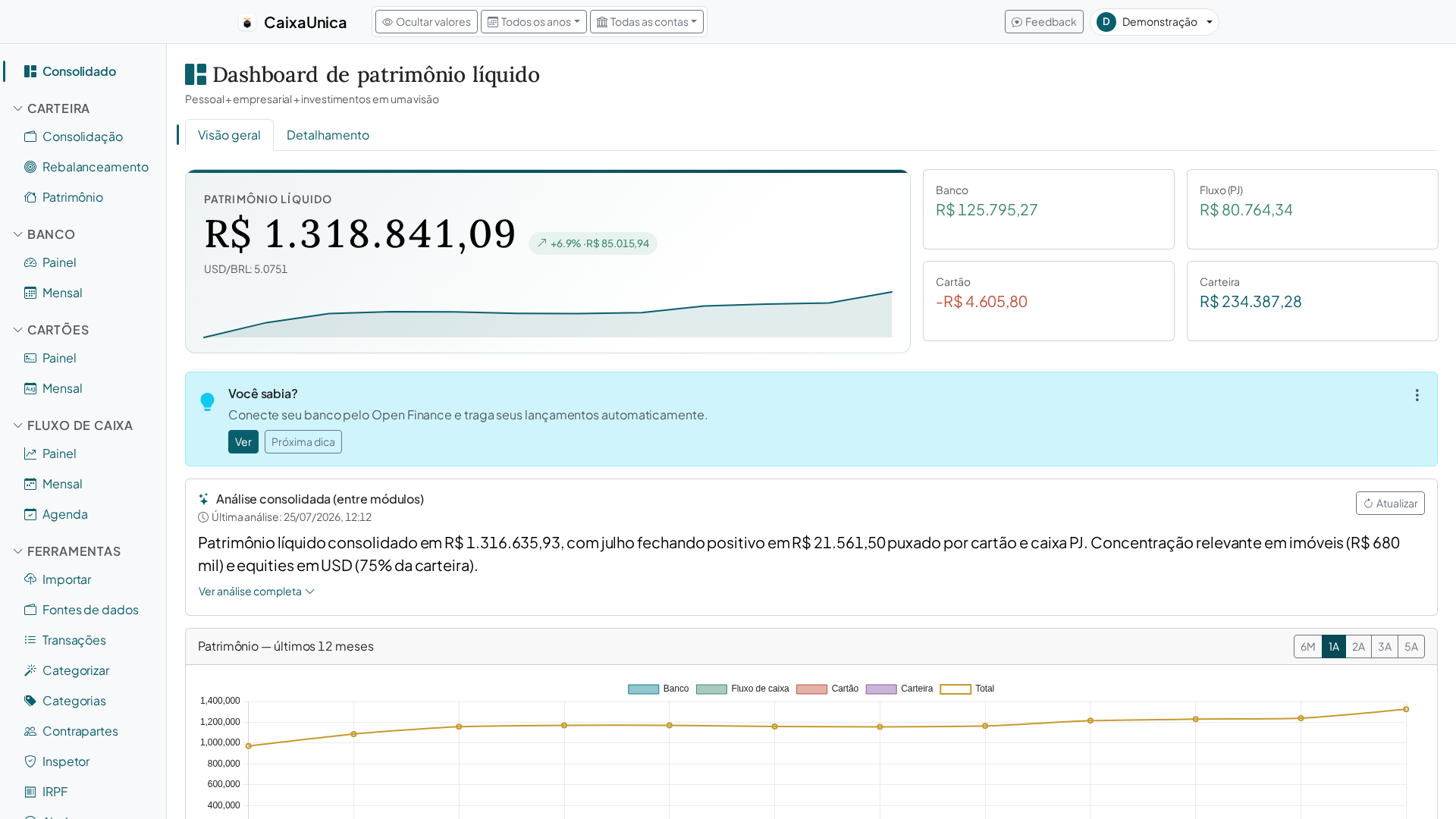
Once your statements, bills, and investments are inside CaixaUnica, the next question arrives: so what does all of this actually tell me?. Reading chart after chart is work, and it's easy to miss what matters. AI Analyses exist to close that gap: they read your numbers and hand back, in plain language, the highlights that deserve your attention.
Automatic reports on what you already have in the app
AI Analyses ask nothing new of you — they work on top of the data that's already in the app:
- Net worth — how your total evolved and what drove the change.
- Investment portfolio — concentration, currency exposure, and moves that break from your usual pattern.
- Spending — categories that grew, expenses outside the norm, and patterns that slip by month to month.
Instead of you hunting for the information, it comes to you — summarized and prioritized.
Insights in natural language
The difference is in the form. Instead of one more chart to interpret, you get direct sentences — like "your subscription spending went up compared to previous months" or "your portfolio is heavily concentrated in a single asset". It's the read a well-organized friend would do for you, except in seconds. The analysis is kept for re-reading — and when your data changes, just ask for a new one.
Why this saves you time
Most people have the data but not the time to dig out what it means. AI Analyses do that digging: they separate the noise from what matters, so you spend your energy deciding, not searching. Got a question about the month? Instead of opening every module, you read the highlights and already know where to look.
Where the analyses fit
They complement the modules you already use — investment portfolio, bank, and credit card — adding a layer of reading on top of the consolidated dashboard. The more complete your financial picture in the app, the richer the analyses become.
How to get started
AI Analyses are included in every plan, with a monthly quota of analyses — including the free one. The prices and what each plan includes are always on the pricing page.
- Bring your data — import statements, bills, and investment reports.
- Open the dashboard and request the analysis for the period you care about.
- Read the highlights and use the insights to adjust the month.
Create your account and try it: let the AI read your numbers and tell you, in a few sentences, what's happening with your money.