 CaixaUnica
Bank statements, organized: all your banks in a single dashboard
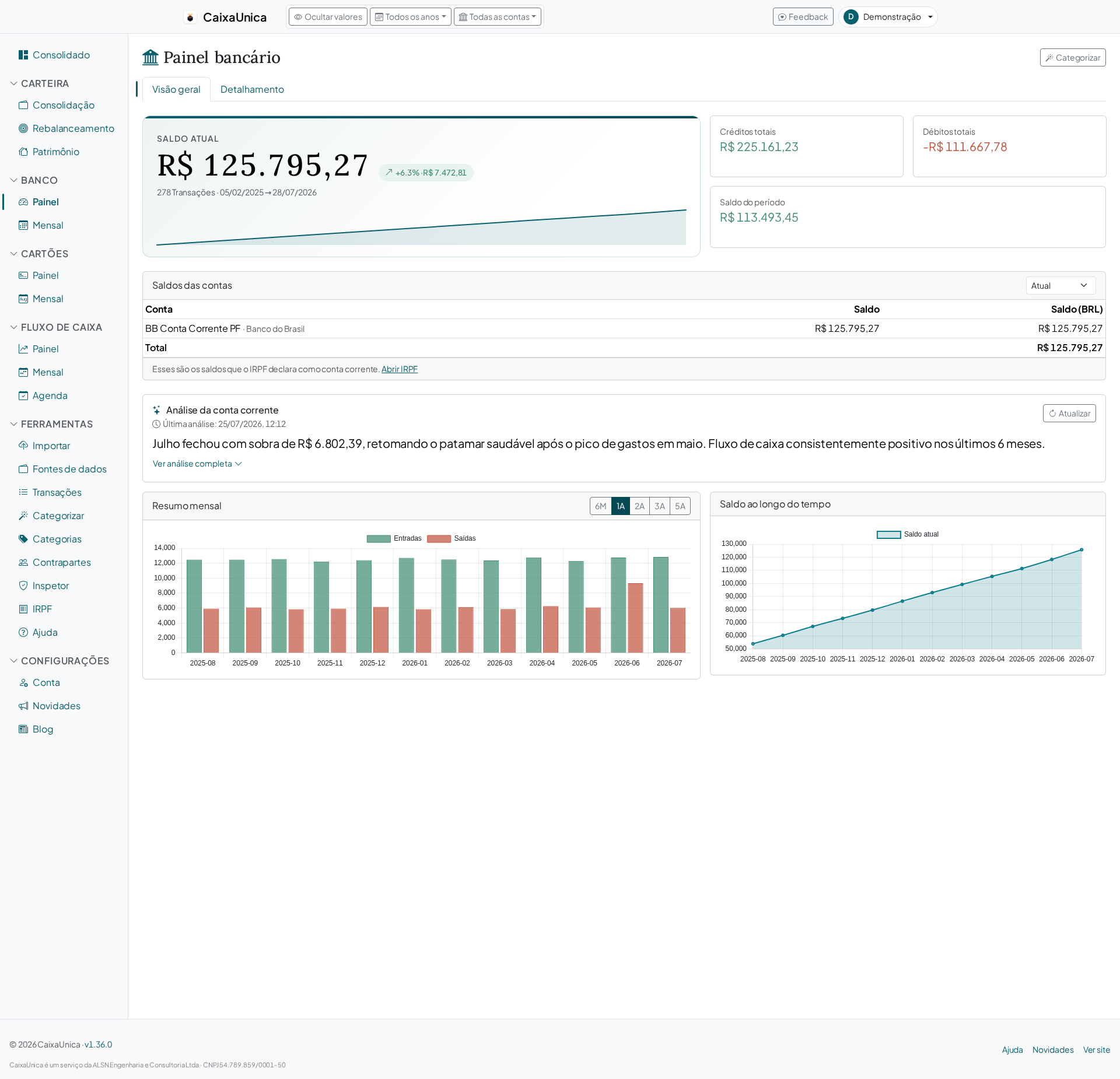
Anyone with accounts at more than one bank knows the scene: your salary lands in one, the bills come out of another, and the digital account still holds part of the money. To know what you really have and where it went, you open three apps and try to add it up in your head. CaixaUnica's Bank module exists to end that: you import the statements and it brings everything into one view.
Every statement in one place
CaixaUnica doesn't ask for your bank password and doesn't log into your account. It reads the statement the institution itself already gives you — the same OFX or CSV file you'd download to keep on record or send to your accountant. Statements from different banks live side by side in the same dashboard, each tied to its account.
Each transaction gets a unique fingerprint, so re-importing the same statement never doubles a transaction — you can upload your entire history without fear of messing up the balance.
Balance, monthly flow, and per-account reconciliation
With the data in, the statement stops being a list of lines and becomes an answer:
- Consolidated balance — what you hold across every account, no calculator needed.
- Monthly flow — how much came in and went out each month, per account or in total.
- Per-account reconciliation — each bank with its own view, so you can check movements without mixing one account with another.
Categorization that shows where the money goes
Seeing the transactions is only half the way; what matters is understanding where the money went. CaixaUnica categorizes transactions automatically and learns from you:
- When you classify a transaction, the system creates a rule tied to that transaction's description.
- On the next import, that rule is applied on its own — the recurring transfer, the monthly subscription, and the electricity bill come in already categorized.
- Refined the rules? One click re-applies them across your entire history, not just the new transactions.
You do the work of organizing once, and each month's upkeep becomes nearly automatic.
The bank doesn't live in isolation
The Bank module's balance and flow feed into the consolidated dashboard alongside your card, cash flow, and investment portfolio — so your total net worth shows up in one place, not scattered across modules and across different banks' apps.
How to get started
- Download a statement for one account in OFX or CSV (the same file your bank already offers).
- Upload it on the Upload page — the format is detected on its own.
- Open the Bank module and watch your balance, flow, and movements appear.
In a few minutes you trade the mental math for a real picture of where your money comes in and goes out. The Bank module is part of the paid plans — current prices are always on the pricing page.
Create your account and bring in your statements: in the first days you try the unlocked modules and feel, firsthand, what it's like to see every account in one dashboard.