 CaixaUnica
Credit cards under control: bills from many banks and categorization that learns
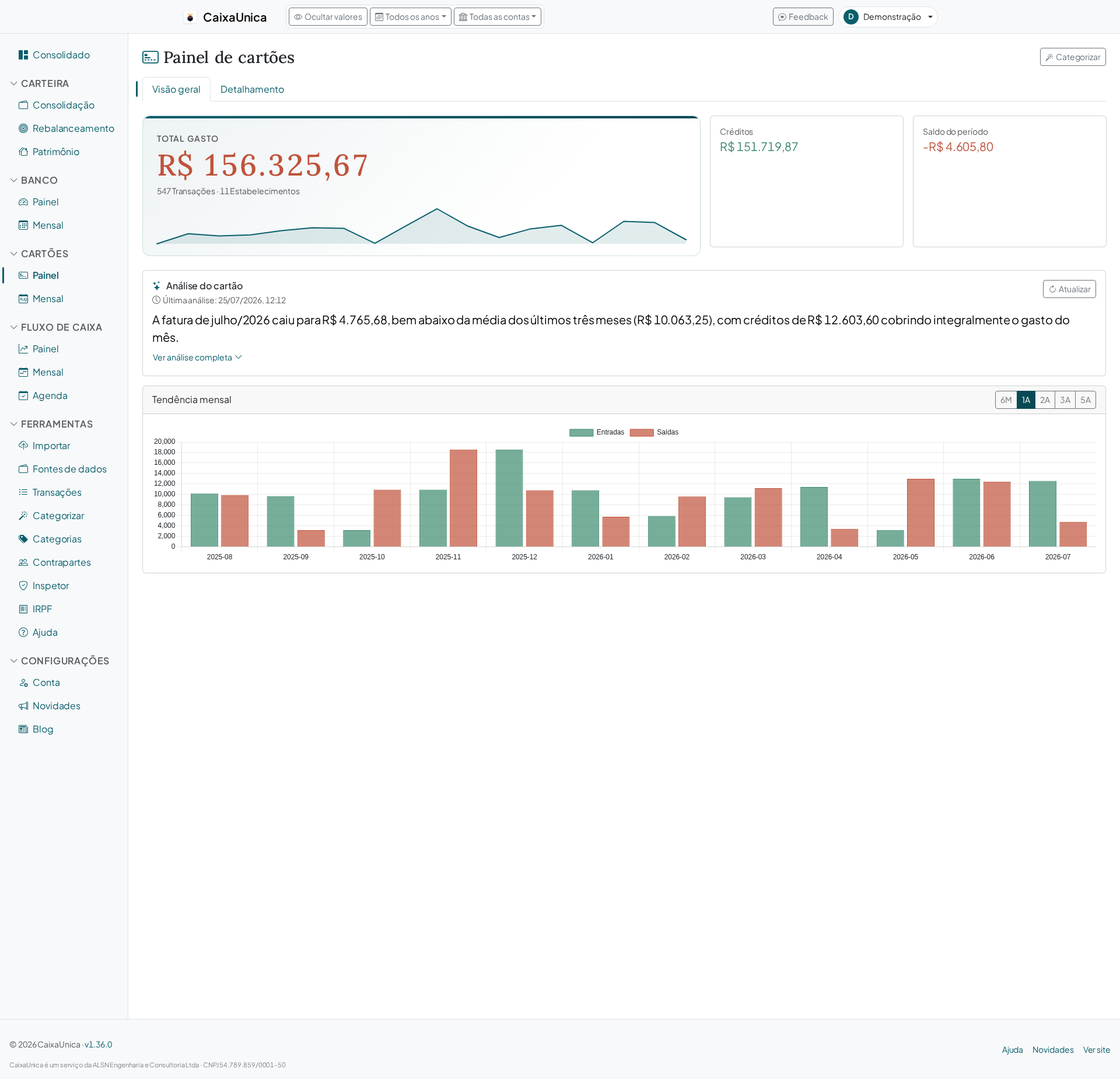
The credit card is where spending scatters the most: several cards, from different banks, with dozens of transactions a month, plus the family's additional cards. Looking bill by bill doesn't answer the question that matters — where did the money go?. CaixaUnica's Card module pulls it all into one dashboard, and categorization is what turns the shopping list into an answer.
Every bill in one place
You import bills in OFX or CSV (the same file your bank or issuer already gives you) on the Upload page. Cards from different banks live side by side in the same dashboard, and each transaction gets a unique fingerprint — so re-importing the same bill never doubles up your spending.
With the data in, the module shows:
- Cumulative monthly view — how much has run up so far this month, not just the closing total.
- By merchant — where you spend the most.
- By category — groceries, transport, subscriptions, leisure.
- By cardholder — when the bill identifies who made the purchase (like XP's does), the dashboard separates the primary holder from additional cards, handy for seeing each person's spending.
Categorization that learns from you
Categories are what give the bill meaning. In CaixaUnica this isn't work you redo every month — it learns:
- When you classify a transaction, the system creates a rule tied to that expense's description and merchant.
- On the next import, that rule is applied automatically — the recurring purchase at the same store comes in already categorized.
- Edited or refined your rules? One click re-applies them across your entire history, not just the new transactions.
In other words: you do the work of categorizing once, and the monthly upkeep becomes nearly automatic.
An assistant for the initial work
On your first big import, classifying transaction by transaction would be tedious. The categorization assistant groups similar transactions so you can classify several at once. And, when enabled, the AI suggestion proposes a category for each group — you just confirm or adjust.
Why this changes the game
Most people give up on tracking card spending because it's a chore to maintain. When categorization re-applies itself on every imported bill, the effort is concentrated up front — after that, you just upload the month's bill and the dashboard updates, already categorized.
How to get started
- Import a card's bill (OFX or CSV) on the Upload page.
- Categorize your biggest expenses first — use the assistant for the repeats.
- Import next month's bill and watch the rules kick in on their own.
In no time you trade the pile of bills for a clear view of where your card money is going — and keeping it current costs a few minutes a month.