 CaixaUnica
Cash flow without spreadsheets: see your month's money in and money out
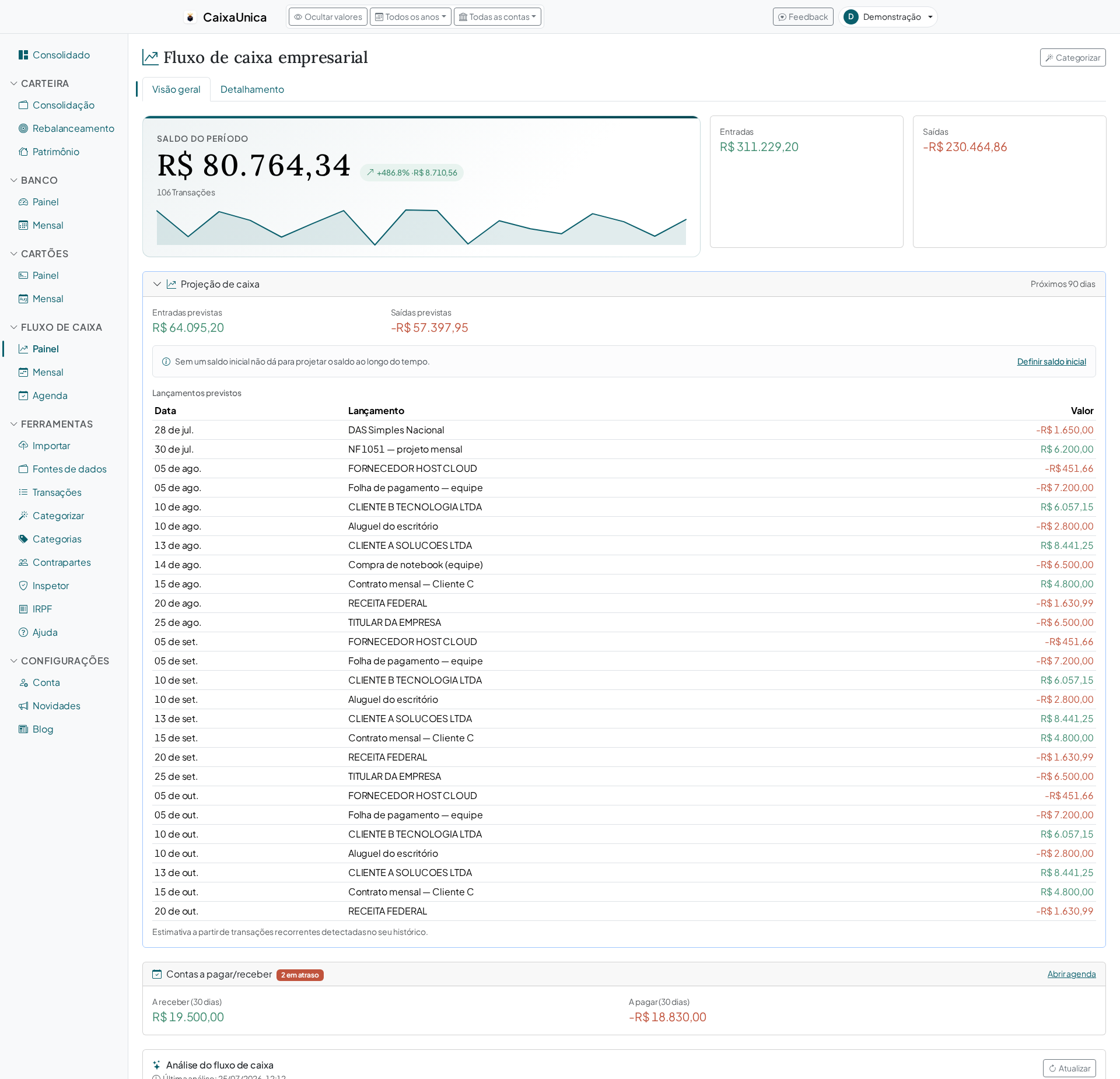
There's a question that haunts a lot of people at month's end: did I have money left or come up short — and why?. For anyone mixing personal life with freelance income, or running a small business, it's even harder to answer. CaixaUnica's Cash Flow module is built for exactly this: to organize everything coming in and going out so you can read your month's cash clearly.
Money in and money out, organized
The idea of cash flow is simple and powerful: on one side what comes in (salary, client payments, sales, returns), on the other what goes out (fixed bills, suppliers, day-to-day expenses). CaixaUnica pulls these transactions together and groups them into categories, so instead of a loose list you see blocks that make sense — and you quickly discover where the money concentrates.
For individuals and for businesses
The same module serves two audiences that often go without a good tool:
- In personal life — you read your month's cash without building a spreadsheet, see how much is left after the fixed bills, and anticipate the tighter months.
- For freelancers and small businesses — separate revenue from expenses, follow the business's cash, and gauge its financial health without needing a heavy accounting system.
For anyone who lives off their own cash, seeing inflows and outflows organized is the difference between reacting to a shock and planning ahead. And planning here isn't a figure of speech: the module has a payables and receivables Agenda (with overdue, upcoming, and done entries) and a projection of the next 90 days that detects your recurring transactions and warns you when the projected balance is going to turn negative — before it does.
Categories that give the month meaning
As everywhere in CaixaUnica, cash flow categorization learns from you: when you classify a transaction, the system starts recognizing similar ones on future imports. The work is up front; after that, keeping the flow current costs a few minutes a month.
With categories in place, you can answer what used to be guesswork: how much goes to suppliers, how much subscriptions weigh, which category grew from one month to the next.
The month's cash within the bigger picture
Cash flow doesn't stand alone: it feeds into the consolidated dashboard alongside bank, credit card, and your investment portfolio. That way you see your month's cash without losing sight of your total net worth.
How to get started
- Gather your inflow and outflow transactions and import them on the Upload page.
- Categorize the biggest ones first — the recurring ones start classifying themselves.
- Open Cash Flow and see the month organized into inflows, outflows, and categories.
The Cash Flow module is part of the paid plans — current prices are always on the pricing page. Create your account and try it: in a few minutes you trade "left over or short?" for a clear view of your month's cash.