 CaixaUnica
How CaixaUnica billing works (and how to cancel)
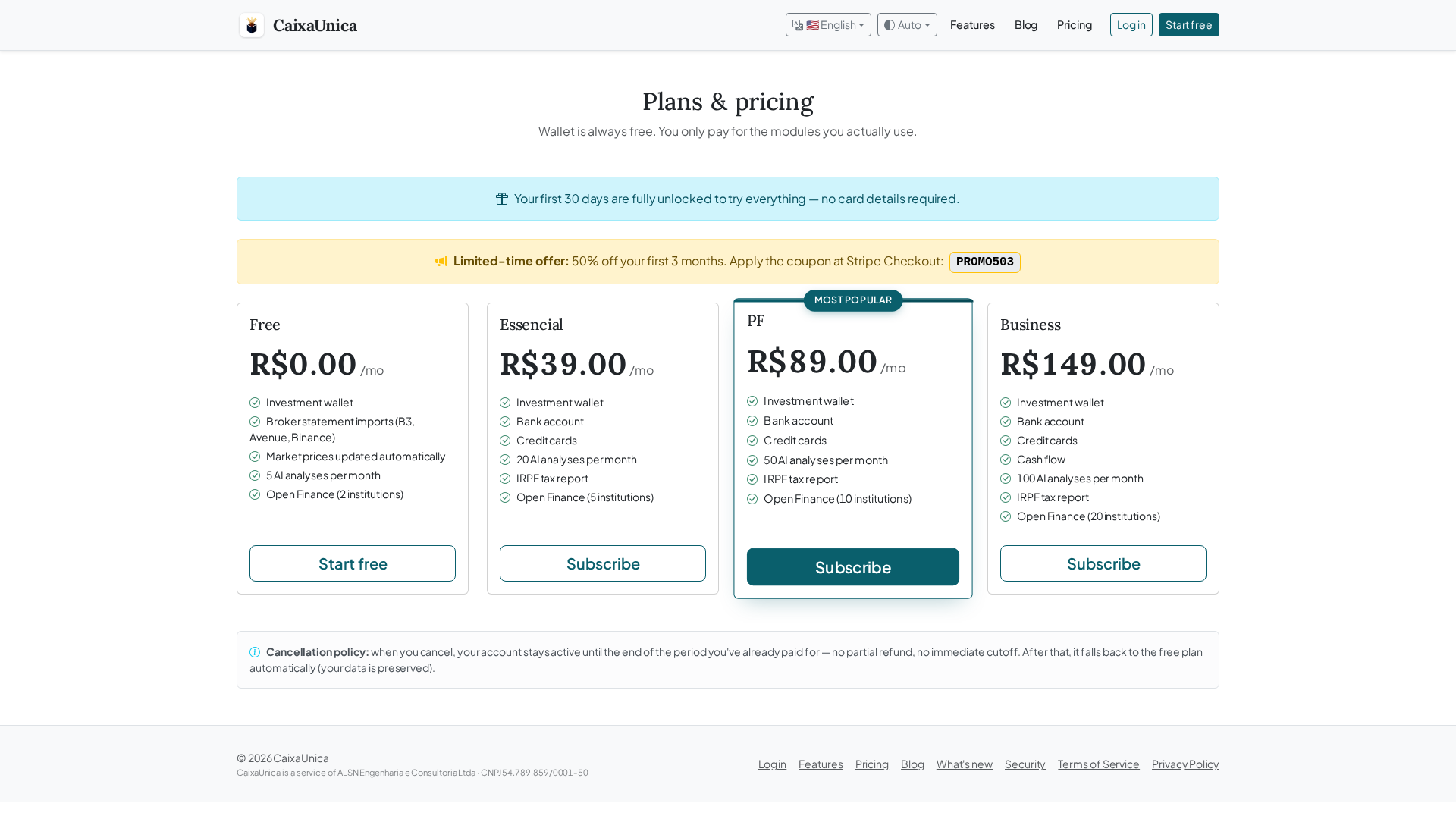
Subscribing to a financial service always comes with a knot in the stomach: what if it's hard to cancel? what if there are hidden charges? is my card safe? This guide answers all of that before you reach the payment screen — because the best way to start with peace of mind is knowing exactly how to leave.
First: you don't need to subscribe to use it
When you create your account, you get 14 days with everything unlocked, no card required. And even after that, the Free plan is permanent — the investment portfolio, Open Finance, and a monthly quota of AI analyses stay free. In other words: you only subscribe once a paid module (banks, cards, cash flow, investment tax reporting) actually starts to matter in your routine.
How payment works
When you pick a paid plan, payment is processed by Stripe — the same payment infrastructure used by companies like Shopify and Uber. In practice, that means:
- We never see your card number. The data goes straight to Stripe, certified at the highest card-security standard in the world (PCI-DSS Level 1). On our side we only keep your subscription status and invoice history.
- You pay by credit card or, on mobile, with Google Pay / Apple Pay — nothing to type, just confirm in your phone's wallet.
- There's a coupon field on the payment screen. If a launch promotion is running, the code shows up on the plans page — just paste it in.
Renewal: monthly, no lock-in
Plans are monthly and renew on their own until you cancel. There's no 12-month contract, no exit fee, no "locked annual plan". You pay for the month you're using, and that's it.
Current prices are always on the plans page — we don't hardcode prices in articles precisely so you never read a stale number.
Canceling is one click — and you lose nothing
This is the part that stops people who hesitate, so let's be blunt: canceling is easy and there's no catch. Inside the app, under Account → Billing, you open the Stripe portal and cancel right away. And then:
- Your paid access stays active until the end of the period you already paid for — no mid-month cutoff, no prorated refund.
- After that, the account reverts to the Free plan — it doesn't disappear. You keep the portfolio, Open Finance, and the AI quota.
- No data is deleted. Your statements, categories, portfolio, and history stay exactly where they were. If you ever want to reactivate, just subscribe again.
What if I want to switch plans?
Also through the Stripe portal, under Account → Billing. Upgrading or downgrading is immediate, and Stripe adjusts the charge proportionally — you don't pay twice or lose what you already paid.
Your data, the way it should be
Regardless of plan, everything sensitive (your tax ID, statement counterparties, AI responses) stays encrypted with a key only you unlock. Subscribing or canceling doesn't change that — and you can export a full copy of your data anytime, under Account → Backup, in an open format. It's your information; it travels with you.
No contract, no card to start, no data lost when you leave. The idea is that the decision to subscribe is about the value the product gives you — never about fear of being trapped.
Create your free account for 14 days — all modules unlocked, no card required. When (and if) you want to subscribe, now you know how it works.