 CaixaUnica
Bills agenda and a simple income statement: see what's due and what you actually earned
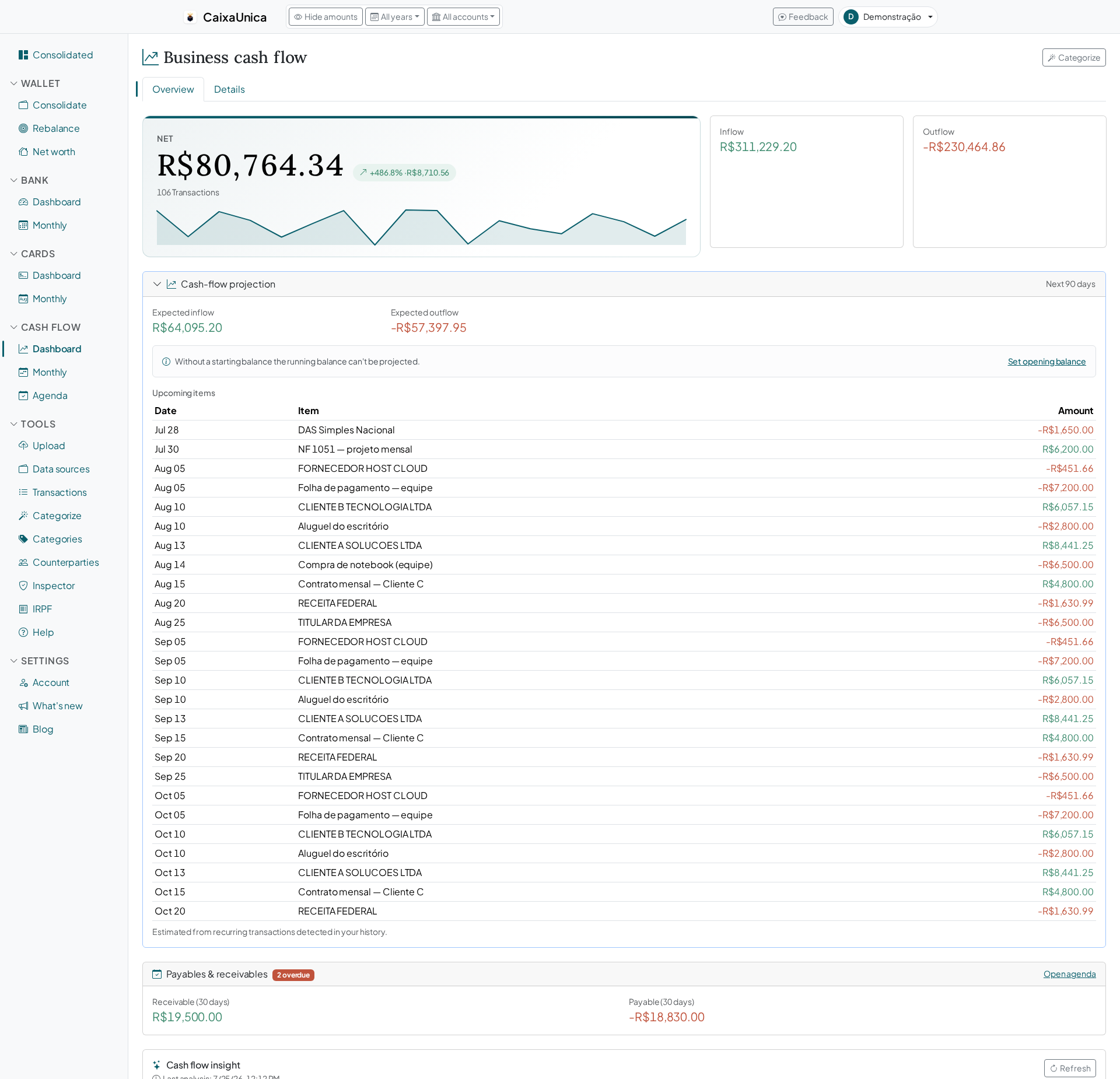
Anyone running a small business lives with two questions that never let go: what do I have to pay (and collect) in the next few days? and, at the end of the month, did I actually make money, or did money just pass through the account? Separating business from personal helps a lot — but separating answers neither one. That's what the two cash-flow tools in CaixaUnica are for: the bills agenda (what you owe and what's owed to you) and the simple income statement.
The agenda: what's due and what's coming in, in the right order
The agenda organizes everything you've scheduled into groups that make sense for someone who has to decide today:
- Overdue — past the date and still open. It shouts first, flagged in red, because that's what racks up interest and headaches.
- Due soon — everything closing in the next seven days. This week's line-up.
- Upcoming — what comes after, so nothing catches you off guard.
- Done — already paid or received, marked with a click and out of your way.
Up top, three numbers sum up the month: how much you'll collect, how much you'll pay, and the net — all over the next 14 days. That's the direct answer to "am I going to be tight or have room to breathe?" before the month even turns.
Every bill has a date, an amount, who it's with, and a category. And marking a bill as paid is a single click — it leaves your open list and becomes history, with nothing to delete.
Monthly bills that don't get stuck as "overdue"
Rent, payroll, a software subscription, a client on a fixed contract — a lot of this repeats every month. You enter it once as monthly and CaixaUnica projects the next occurrence from today on its own. So the rent due on the 10th doesn't stay flagged overdue forever after you pay it — it rolls forward to next month automatically. You register the commitment, not every single instalment.
A cash projection that gets ahead of the squeeze
The agenda doesn't live alone — it feeds the cash-flow balance projection. And here's the part that saves sleepless nights: on top of the bills you schedule, CaixaUnica recognizes the recurring commitments in your history on its own. If rent, payroll, or a subscription show up month after month, the system spots that pattern and projects the next occurrences — with nothing typed in.
Combining what you scheduled with what it detected, the projection walks your balance forward and warns you if it goes negative at any point along the way. Instead of discovering the hole on the 28th, you see it coming weeks ahead — enough time to pull a payment forward or push a purchase back.
The simple income statement: result and margin, not balance
The account balance lies. It mixes what's yours with what's still going out, and says nothing about whether the business turned a profit. The simple income statement answers that cleanly, on a cash basis — that is, based on the money that actually came in and went out:
- Revenue — everything that came in over the period.
- Expenses — everything that went out.
- Result — the difference between the two. What stayed (or fell short).
- Margin — the result divided by revenue, as a percentage. The number that shows how much of every dollar billed turns into profit.
Billing well and running a thin margin are different things, and it's the margin that tells you whether your price is right or a cost is quietly eating the business from the inside.
Where the money comes in and where it goes out
Below the totals, the statement shows your top revenue sources and your biggest expense groups side by side. This is where categorization works for you: each entry lands in a category through rules and keywords the system applies automatically, so you immediately see which clients drive the billing and which costs weigh most. Anything not yet categorized shows up as Uncategorized — a visible nudge toward what's worth organizing to see more clearly.
Want to look at a specific year? The period filter at the top scopes the statement to the year you pick, so you can compare how the business did from one year to the next.
Start today
Stop managing bills from memory and confusing balance with profit. Enter what's due, let CaixaUnica project your cash, and see, in one view, when the squeeze is coming and how much your work actually left behind.
Start your free 14-day account — every module unlocked, no credit card.